Two steps make up the enrollment process:
- Creating the user's profile in IDS manually (see Manually add a person to the Identity Server), or by batch uploading users with a .csv file or by syncing IDS with the PACS.
- Adding the user's biometrics (face and at least one iris) to their profile using the legacy default or contactless enrollment methods (see Enroll a person to the Identity Server), or Princeton Identity's new automatic enrollment process.
Regardless of the process used to add biometrics to the user's profile, the system may occasionally fail to capture the face or one or both irises on the first attempt, requiring the user to repeat the step. However, here are some tips to better ensure success on the first try.
- The area where the biometrics are being captured must be sufficiently illuminated. Most office areas, illuminated by florescent or LED lighting, should be acceptable, though diffuse auxiliary lighting can be used and may improve biometric capture results. Alternatively, face images uploaded to IDS from an external source (ex. cell phone) need to meet Princeton Identity's Enrollment Image Quality Requirements.
- The enrollment device should be positioned per the instructions in the Access200™ Physical Installation guide, either permanently on a wall or door frame, or temporarily on a tripod.
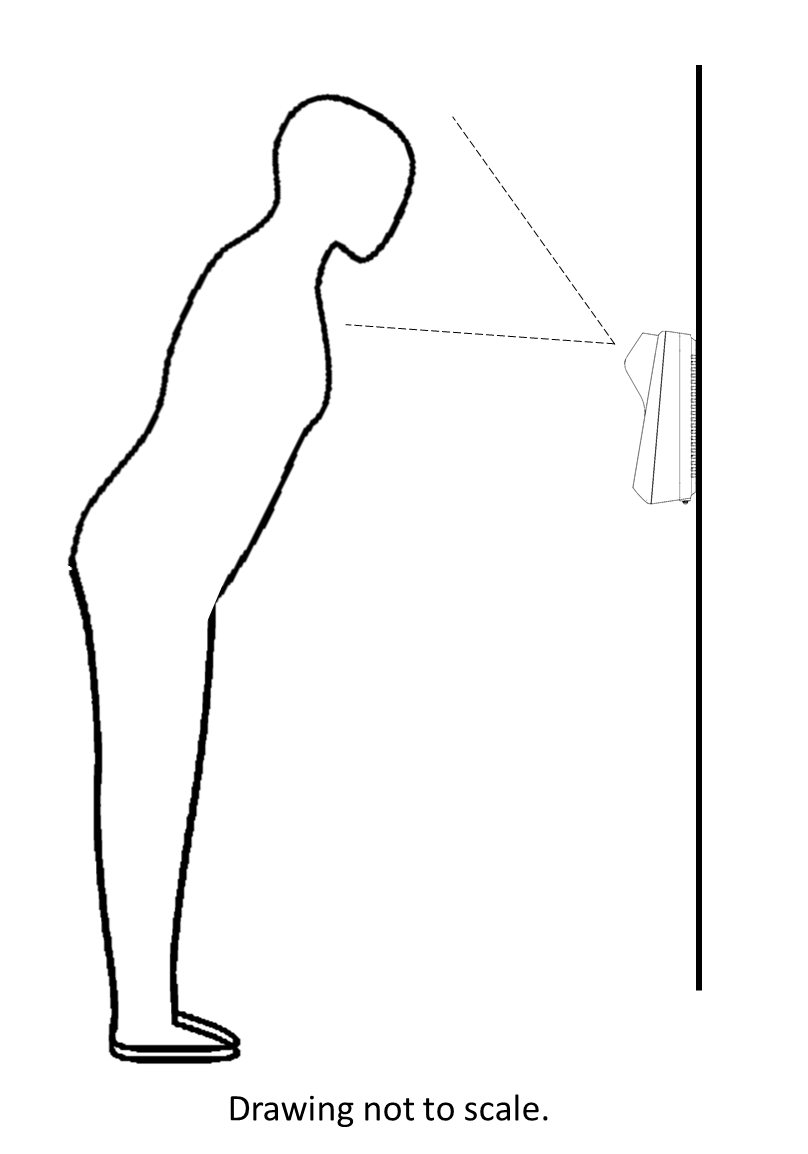
- Proper positioning of the individual in front of the enrollment device is the best way to achieve a complete biometric capture on the first attempt. The individual's face must be at roughly the correct angle to the camera of the enrollment device, as well as at the correct distance. The following figure illustrates the positioning of the user relative to the device to achieve the correct angle. Note that it is recommended that the user bend only at the hips (not at the knees).
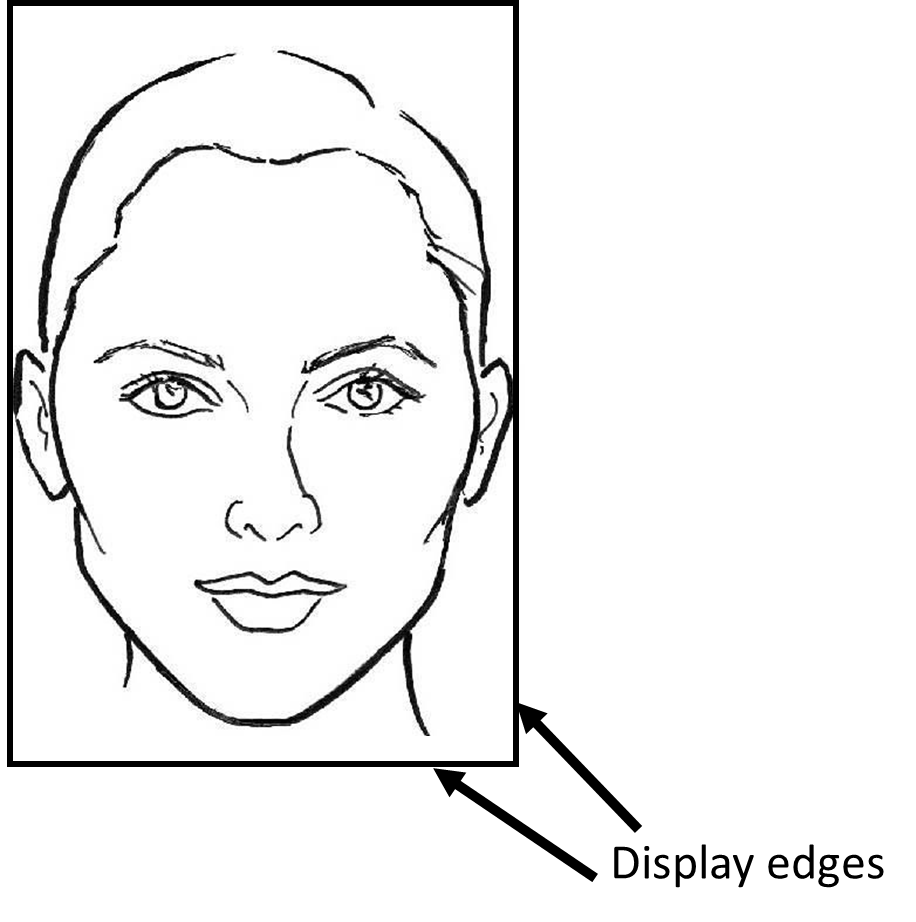
- To position the user at the correct distance from the device, it is recommended that they position their face in the field of view of the camera such that their ears touch the edges of the display, and their face is approximately centered top to bottom.
These are approximate recommendations for achieving the best results. For example, certain facial features, lighting, and other factors can require that a given individual move slightly closer or farther away from the device. However, once the individual is enrolled, Princeton Identity's identification solution can identify the individual in less than one second at any device connected to the system. Note that capturing both irises is not required for Princeton Identity's recognition technology to correctly identify an individual.