When the PC is connected to a local network, but is not located on the internet you may experience a significant lag time while the PC tries to search for certificates. Please follow these steps to disable this delay.
- Go to Star-> Run, and enter “gpedit.msc”
- In the Local Group Policy Editor, double-click the “Computer Configuration” node.
- Double-click “Windows Settings”, double-click “Security Settings”, and then double-click “Public Key Policies” (see Figure below).
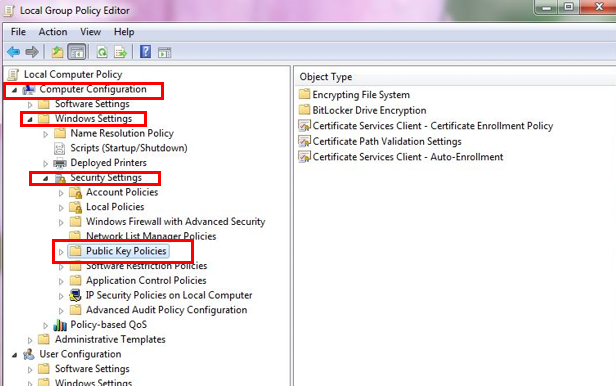
Local Group Policy Editor
- In the details pane, double-click “Certificate Path Validation Settings”.
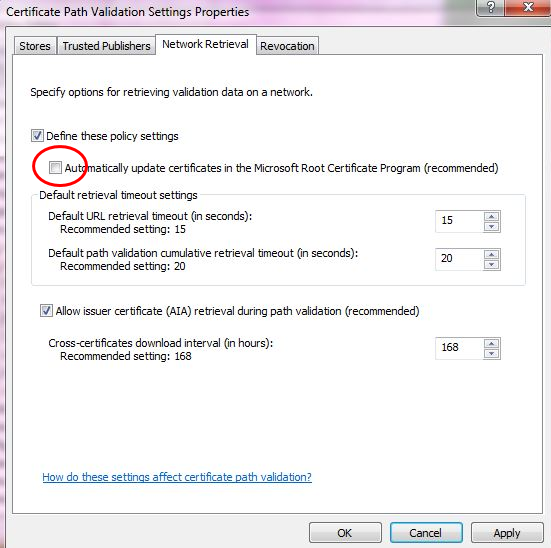
- Click the Network Retrieval tab, select “Define these policy settings”, and then clear the “Automatically update certificates in the Microsoft Root Certificate Program (recommended)” check box (see Figure below).
- Click OK, and then close the Local Group Policy Editor.